
 swrentertainment.com
 Join our Discord
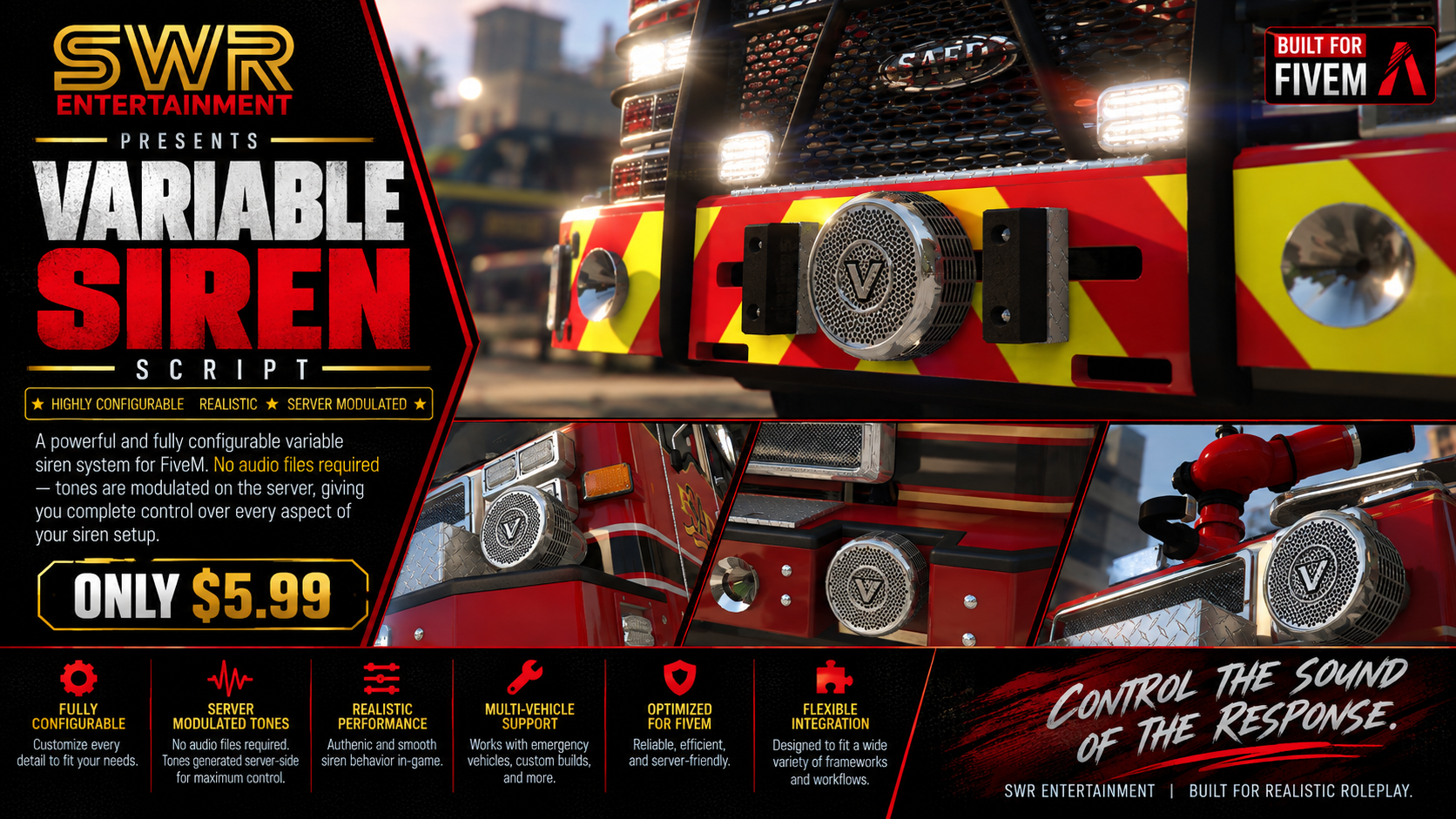
SWR Variable Siren
By SWR Entertainment | Standalone FiveM resource | Version 0.1.0
A Q-based mechanical fire siren with no audio files. Every tone is synthesized and modulated live on the player's PC, so it spins up and coasts down the way a real rotor does.
Preview video: LINK
Documentation: LINK
Support: LINK
Overview
SWR Variable Siren gives your fire apparatus a Q-based mechanical siren that behaves like the real thing. Hold the pedal and the rotor winds up. Let go and it coasts down through the long growl. Tap the brake to cut it short. There are no audio files: the tone is generated live on each player's PC from the rotor's speed. Every nearby player hears it in 3D with Doppler, so it sounds the same to everyone. Standalone, no framework, no database.
No audio files
- Zero audio files. No .ogg, .mp3, .awc, no audio banks, no streamed sound packs, no game-file replacement. The whole resource is about 40 KB of code.
- Synthesized live, on each player's machine. The siren is built from oscillators, filters and noise in the browser audio engine that FiveM's NUI already runs (Web Audio). Nothing is sampled or played back.
- Truly variable pitch. A recording can only be looped or pitch-shifted. This tone is generated from the rotor's speed every frame. The spin-up, the scream at full speed and the long low growl on the coast-down are one continuous sound with no loops, seams or crossfades.
- Nothing to download. Players don't wait on sound files when they join, and no audio goes over the network. The server only syncs which switches are held. Each client generates the sound itself.
- Tunable without audio editing. Pitch, harmonics, housing resonance, growl, air rush, motor whine and grit are all values in config.lua. A browser preview bench lets you hear changes before you restart the resource.
Who it's for
- Fire and EMS roleplay servers that want an authentic Q-based mechanical siren on their apparatus.
- Servers tired of looped siren samples, or of shipping big sound packs.
- Any framework, or none.
Features
A siren that behaves like a rotor
- Hold-to-run pedal. Hold the pedal key and the motor drives the rotor up toward full speed (about 4 seconds to 95%). Release it and the rotor coasts down.
- Realistic coast-down. Air drag slows it fast at the top and bearing friction keeps the long low growl going. Defaults are fitted to a recording of a real Q mechanical siren (full speed to 40% in about 13 seconds).
- Brake button. Hold it to stop the rotor short instead of letting it coast.
- Feather it. Tap the pedal to hold the siren at any pitch, like an operator working the foot switch.
- Spin-up, friction, air drag and brake strength are all configurable.
Generated, not played back
- Two slightly detuned outputs give the slow beating of a two-sided projector.
- A 24-harmonic "chopped air" tone is shaped by the fixed resonances of the housing. As the pitch sweeps, different harmonics pass through those resonances, which gives the siren its changing voice.
- Rotor-imbalance growl at shaft speed, most noticeable at low speed.
- Air rush that follows the pitch, motor whine, and soft clipping for grit.
Real 3D sound
- The sound comes from the front bumper of the truck and projects forward. It's quieter behind the truck.
- HRTF 3D panning, with a cheaper stereo mode as an option.
- Doppler shift from the truck's and the listener's speed. You hear the pitch drop as it passes.
- Distance falloff with a smooth fade-out at the edge of range (450 m by default).
- Muffled inside a cab when you're in first person.
Synced for everyone
- Every player hears the same rotor. The pedal and brake states are synced through the server, and each client runs the rotor physics itself.
- The operator's own truck reacts instantly, with no network delay.
- Driver and front passenger both have switches that work in parallel, like the officer's side foot switch. The passenger switch can be turned off.
- The server checks every switch change: only someone in a control seat of an allowed truck can work it.
Easy for players and admins
- Default keys J (pedal) and K (brake), rebindable by each player under Settings > Key Bindings > FiveM.
- /varsirenvolume 0-100 sets each player's own volume, saved per player.
- Works out of the box on every emergency-class vehicle, or list specific models in config.lua.
- Preview bench: open html/index.html in any browser to hold the pedal, drag sliders, and copy a ready-made config snippet.
Technical details
| Framework | None required, standalone |
| Database | None |
| Dependencies | None. OneSync must be enabled |
| Audio files | None. Generated live with Web Audio in the NUI |
| Download size | About 40 KB, 7 files |
| Escrow | Cfx asset escrow. config.lua stays open and editable |
| Commands | /varsirenvolume |
| Keybinds | Pedal J (hold), Brake K (hold), both rebindable |
| Performance | Tested in game. The client loop idles when no rotor is turning |
What's included
- The resource, ready to drop into resources/ and ensure.
- The browser preview bench for tuning the tone (html/index.html).
- Documentation (README in the download, full guide at [DOCS URL]).
Easy install
- Drop cfx-swr-var-siren into your resources folder and add ensure cfx-swr-var-siren.
- Optional: list your fire truck models in Config.Vehicles (empty means every emergency-class vehicle).
- In game, get in a fire truck and hold J.
Good to know
- This is a single mechanical siren tone. It does not include wail, yelp, hi-lo or air horn tones.
- It does not control lights or lightbars, and it does not add vehicles.
- It runs alongside other siren scripts such as LVC. Turn off LVC's Q tone on these trucks so the two don't overlap.
- The tone is fitted to a recording of a real Q mechanical siren. It is not a copy of one.
- SWR Variable Siren is not affiliated with any siren manufacturer.
Price: $5.99