
 swrentertainment.com
 Join our Discord
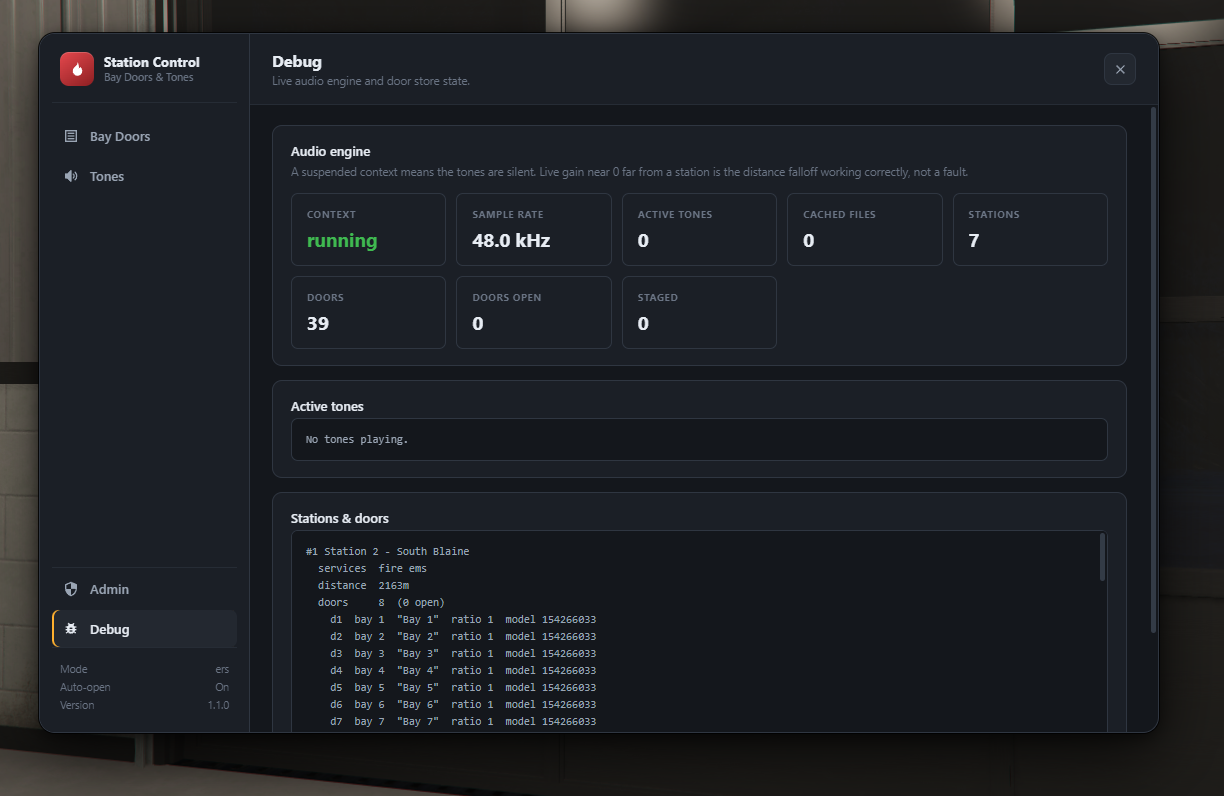
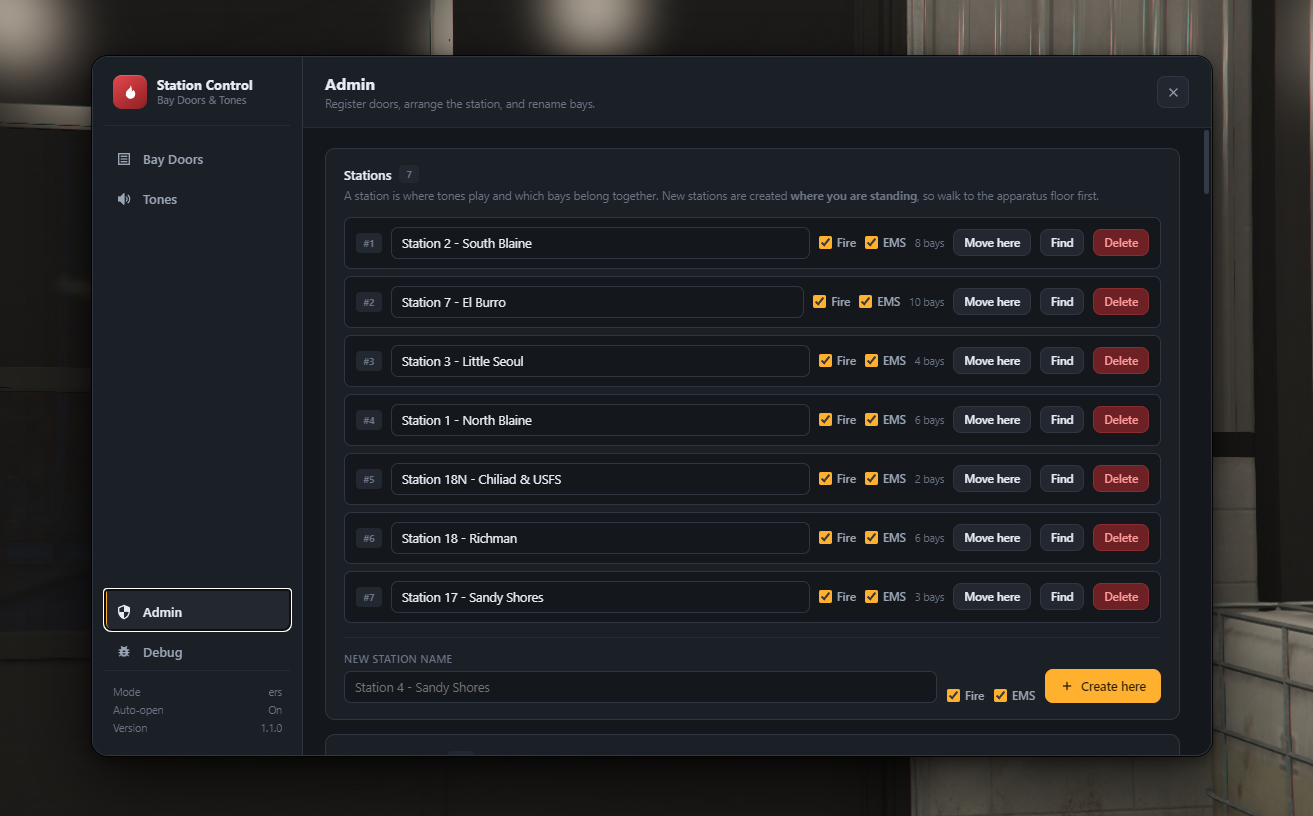
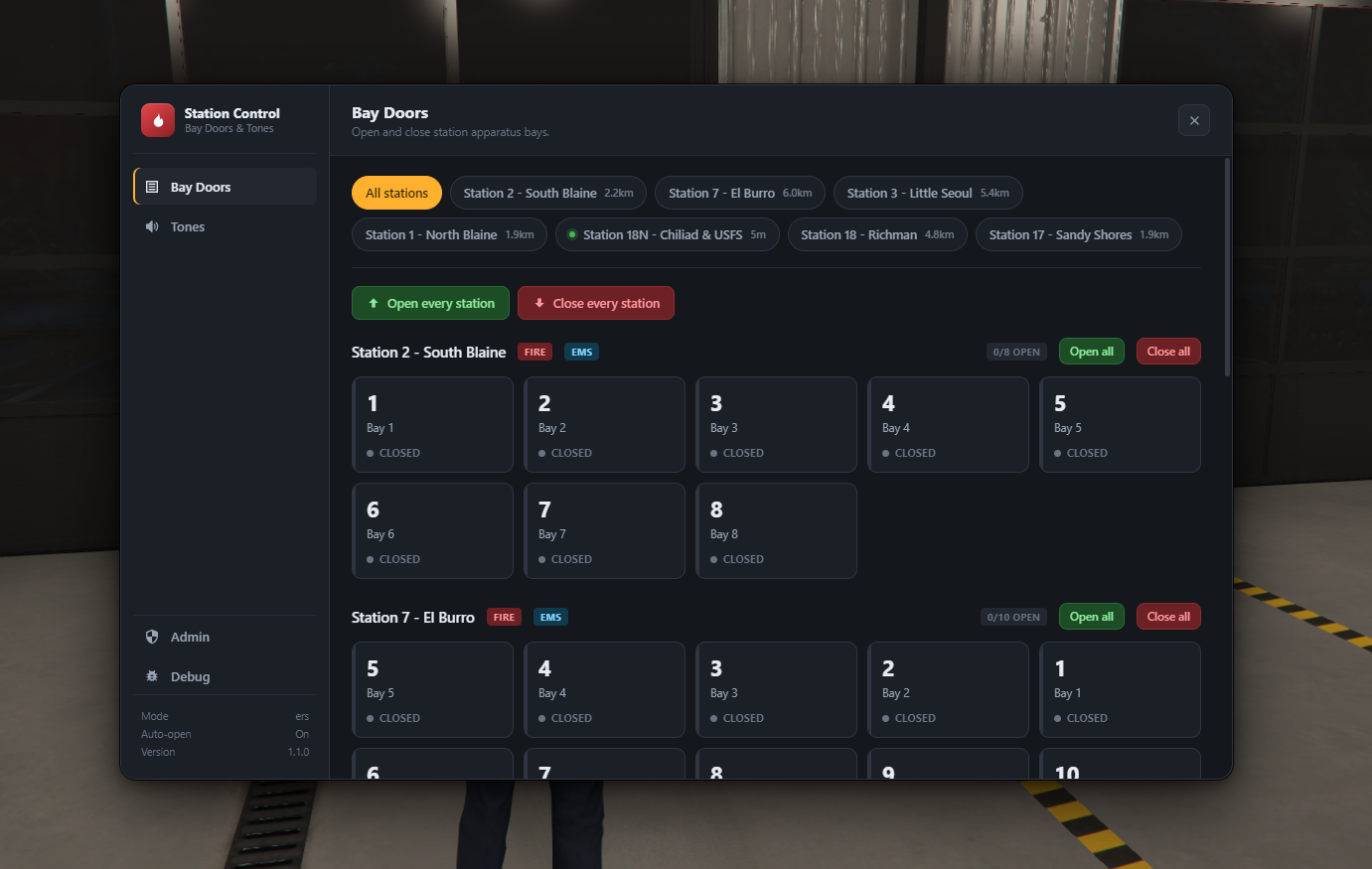
SWR Fire Notify v2.0
Works standalone (SmartFires) or with Night ERS — ESX & QBCore native.
🎥 Video Demo: LINK
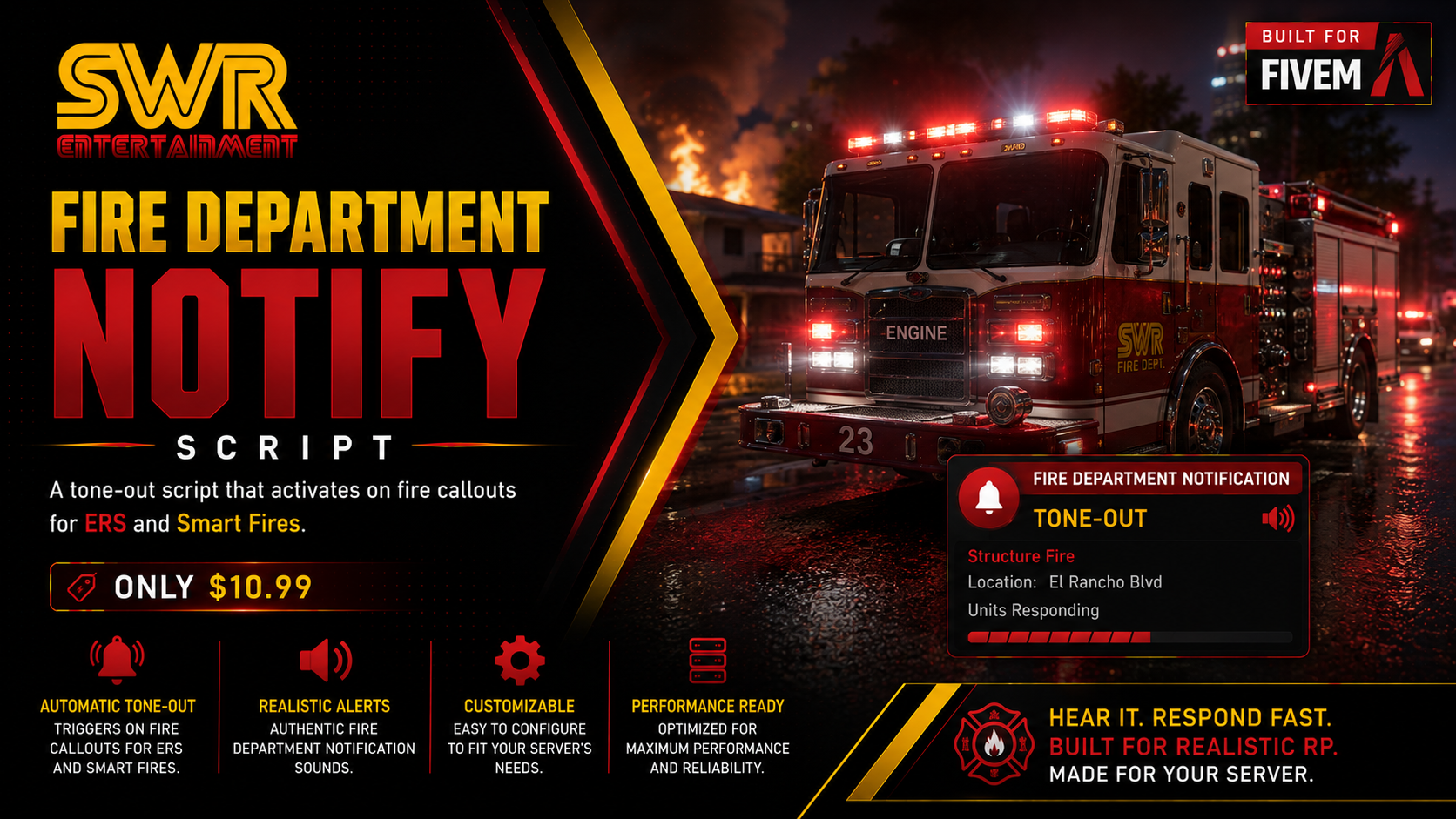
The moment a fire or EMS call goes live, the nearest station that serves that department tones out and its bay doors roll open — automatically, for everyone. Fully positional 3D audio rendered in-resource. No xsound. No audio dependencies.
v2.0 is built entirely in-game. No coordinates to paste, no config lists to maintain. Walk into your station, open the tablet, and set it all up — stations, bay doors and wall keypads — live, with no restarts.
⚡ Why crews love it
Real tone-outs, positioned in the world. Tones play at the station itself with true distance fade and stereo pan, computed per-frame from each player's own camera. Walk up on a station mid-tone and you'll hear it get louder. Anyone near the bay hears it too.
Bay doors that roll — and stay put. Doors open at the toned station on accept and roll up smoothly instead of snapping. They stay open until someone closes them, sync to every player (late joiners included), and never silently drop shut when you drive back from a call.
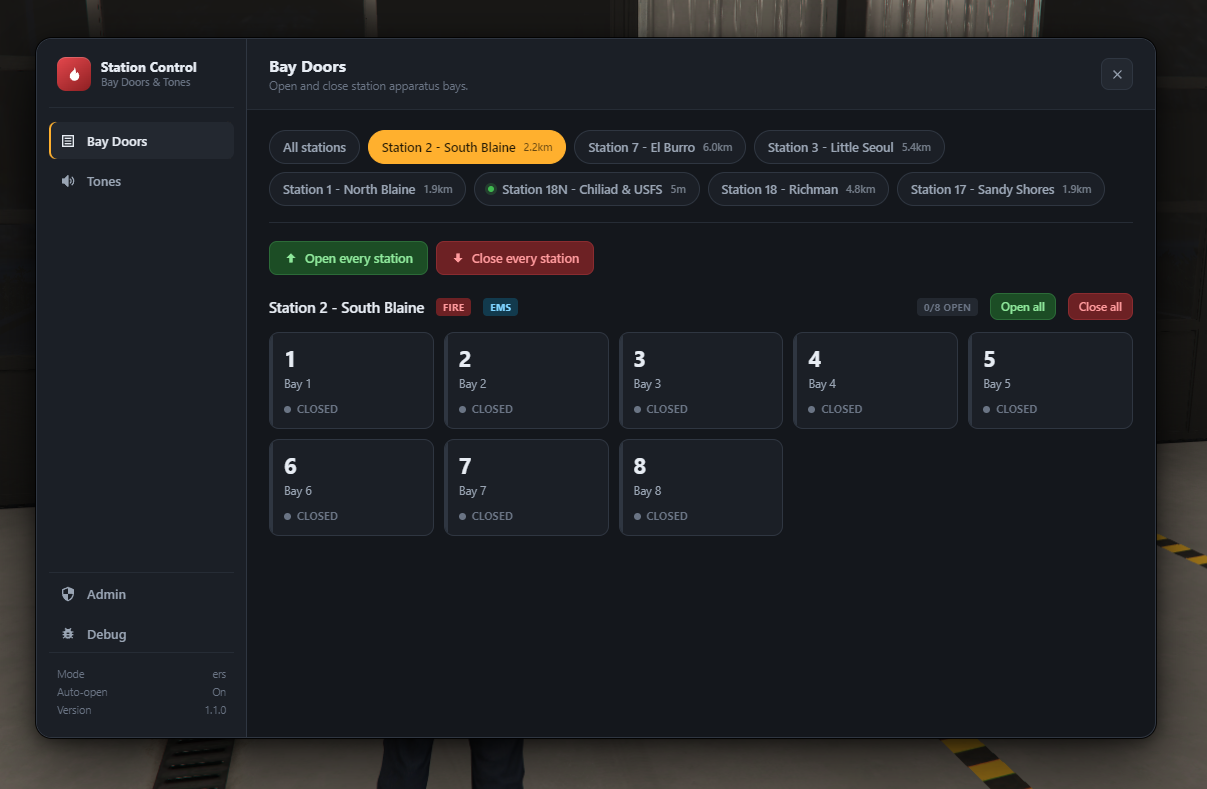
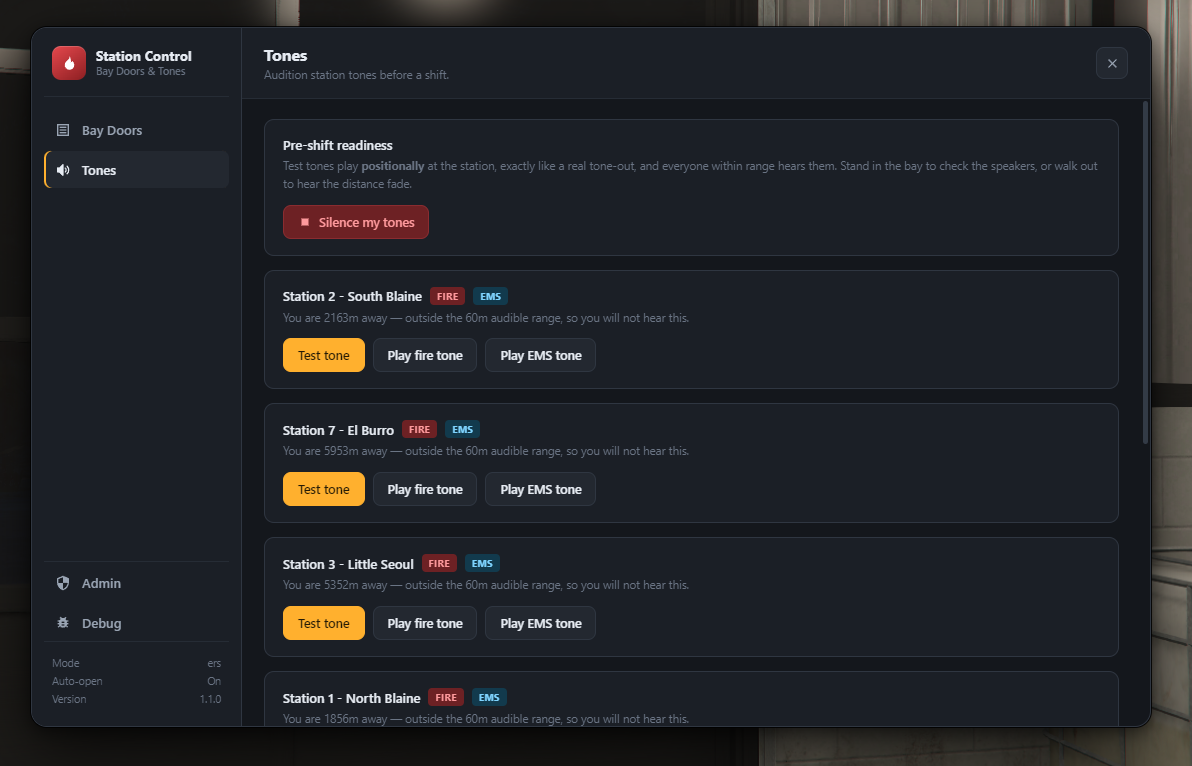
An in-game station control tablet. Open and close every bay with a click, test tones before a shift, and see your distance to every station. Open it with /stationdoors or from a keypad on the station wall.
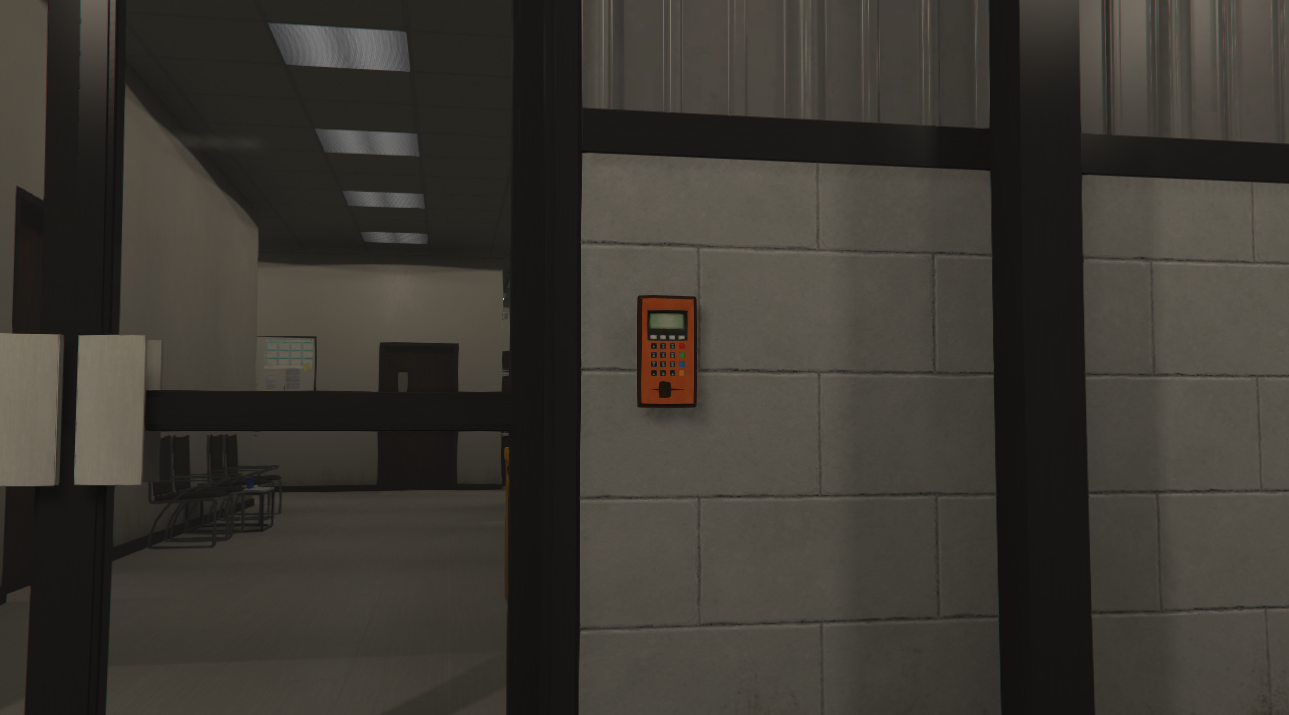
Wall-mounted door keypads. Place keypad props in-game with a live preview that mounts flush to any wall. Crews hold Alt and click it with ox_target — or use qb-target, or a simple press-E prompt. Each keypad opens the tablet on its own station automatically.
Fire and EMS, handled separately. Fire calls tone the nearest fire station, EMS calls tone the nearest EMS station, and a call needing both tones both — each at its own closest house.
Shift-aware. In ERS mode, only players on an active fire or EMS shift can work the doors and tones. Police, tow and off-duty players are refused.
Secure by design. Every action is checked on the server. The admin password is verified server-side, so a modified client can't open doors it shouldn't.
Zero audio dependencies. All sound is rendered by the resource's own NUI via the Web Audio API. No xsound, no mumble hacks, no external audio resource to install or update.
🏗️ Set up your stations in-game
- Create a station — stand on the apparatus floor, name it, tick Fire and/or EMS. Done.
- Capture your bay doors — aim at a door, fire an empty weapon, assign it a bay number. Live instantly.
- Arrange the layout — drag the bay tiles so the tablet matches how the doors actually sit in the building.
- Mount a keypad — place it on the wall; it's assigned to the nearest station automatically.
Everything is saved by the server and survives restarts. Back up or move your whole setup by copying three files.
🧩 Four framework modes — one toggle
| Mode | Fires on | Extras |
|---|---|---|
| Standalone | Any SmartFires callout — no ERS needed | Tones + doors at the station nearest the fire itself |
| ERS (default) | Night ERS callout accept | Optional fire/EMS shift requirement |
| ESX | Night ERS callout accept | Tablet and commands gated to your fire/EMS jobs |
| QBCore | Night ERS callout accept | Same job-gating, QBCore-native |
Set Config.SmartFiresAnyFire = true in standalone mode to react to every fire SmartFires creates — player-lit, scripted, or spread.
🎛️ Commands
| Command | Does |
|---|---|
/stationdoors | Open the station control tablet |
/teststationtones | 3D test tone at your nearest station — pre-shift readiness check |
/openbay [bay] | Open one bay door at your nearest station |
/closebay [bay] | Close one bay door at your nearest station |
/openallstationdoors | Open every door at your nearest station |
/closeallstationdoors | Close every door at your nearest station |
/registerdoors | Start door capture mode |
/stoptones | Silence every tone on your client instantly |
/tonesdiag | Dump live audio engine state (per-tone volume + pan) |
All command names are configurable.
🔐 Admin access your way
Unlock station setup with an admin password, an ace permission, or a list of player identifiers. Five wrong password attempts lock that player out for 30 seconds.
🔧 Tune everything
Volume, audible distance, full-volume radius, falloff curve, door travel speed, cooldowns, tone files and command names — all from config.lua. Drop your own tones into html/sounds/ (.ogg recommended — list several per department for a random pick each tone-out).
First time? Config.Debug = true prints the exact callout data, matched department and chosen station to your server console so you can confirm every pick.
📦 Requirements
- SmartFires (standalone mode) or Night ERS (ers / esx / qbcore modes)
Recommended: ox_target, for the door keypads. Without it, keypads fall back to a built-in press-E prompt — so nothing else is required.
🔒 What's open
Escrow-protected via Cfx.re. config.lua, the full tablet UI, all your sound files, your saved station data and the README stay open and editable after purchase — restyle the tablet, swap tones, and tune every setting. Scripts are encrypted.
📖 Documentation: LINK